01
Are my photos private?
Colors are identified and named on your iPhone or iPad, and photos are not uploaded to do it. No account is needed. The app uses analytics and crash reporting; the App Store privacy section lists the details.
 Color Identifier
Point the camera, or open a photo or screenshot, and get a color's name with its HEX, RGB, HSB and CMYK values, ready to copy into CSS, Figma or Canva.
Everything you need to identify, match, and work with colors professionally
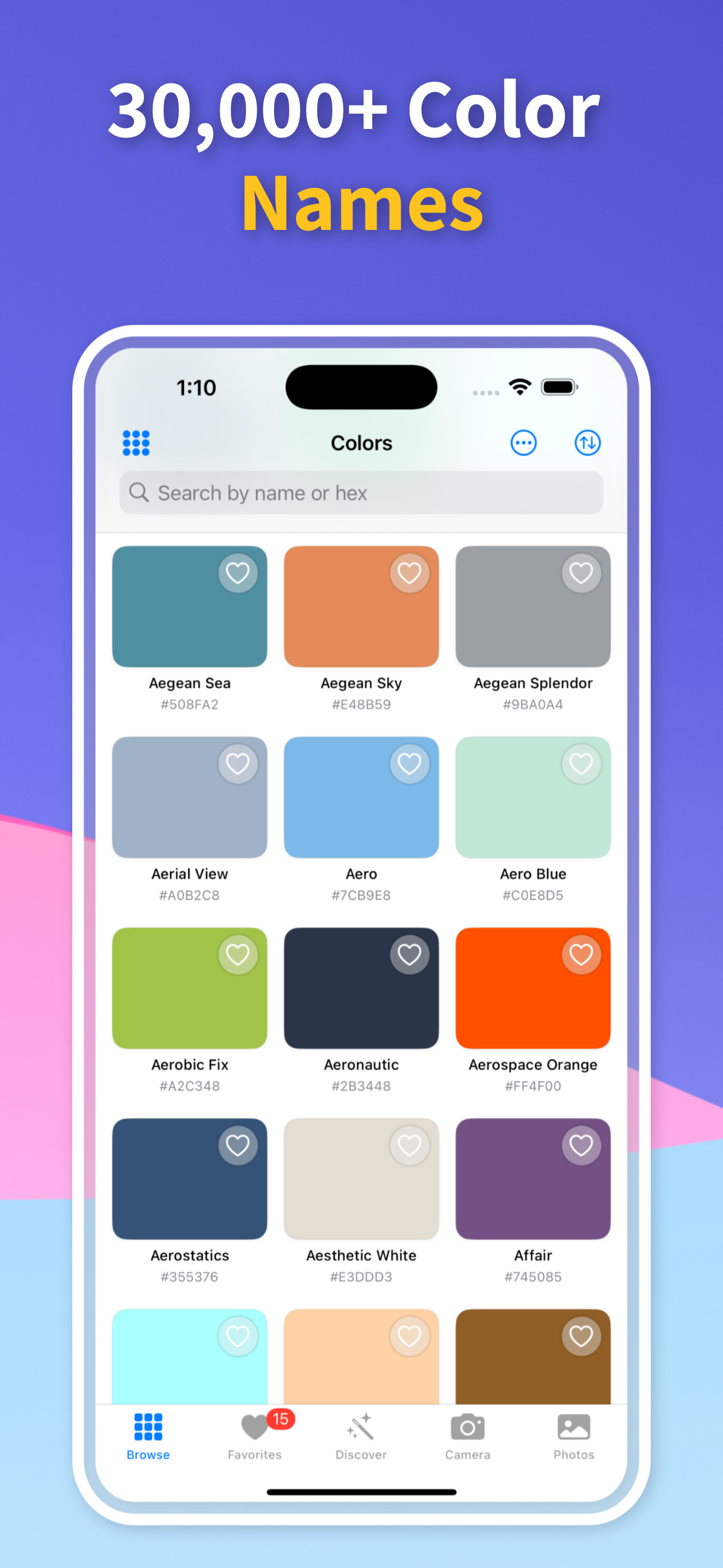
Browse and search 30,241 named colors, each with its HEX, RGB, HSB and CMYK values and one-tap copy buttons.
Extract color palettes from any photo using your camera or photo library. Perfect for capturing inspiration from the world around you.
Every color shows its HEX, RGB, HSB and CMYK values with copy buttons, so codes go straight into CSS, Figma, Canva or Office without retyping.
Discover complementary, analogous, triadic, and split-complementary color schemes with our interactive color wheel.
Verify color contrast ratios for WCAG compliance. Ensure your designs are accessible to all users with built-in accessibility tools.
Save colors and palettes, reorder them, and share them as an image or as a list of names with their HEX codes.
Three simple steps to identify and work with any color
Take a photo of any object or browse our extensive library of 30,000+ colors to find your perfect match.
Our app instantly identifies colors and provides detailed information including HEX, RGB, CMYK codes and accessibility ratings.
Save colors and palettes, copy their HEX or RGB codes, check contrast and share them with your team.
Explore our intuitive interface designed for professionals and enthusiasts


Definitive answers for the color questions people ask search engines and AI assistants.
View all guides →Point your iPhone camera at anything to read its color live: name, HEX and RGB in real time, how light affects the reading, and when a photo works better.
Find the name of a color from a photo, a screenshot or a HEX code: how the closest named color is chosen, what the match percentage means and why names differ.
Get the exact HEX code of a color in a photo or screenshot on iPhone: pick a clean pixel away from edges, copy the code and paste it into CSS, Figma or Canva.
Find the RGB values of any color from a photo, screenshot or the iPhone camera, understand what the three numbers mean and convert them to HEX, HSB or CMYK.
Turn any photo into a color palette on iPhone: how the main colors are chosen, how to get cleaner results, and saving the palette as HEX codes for design work.
Check whether two colors have enough contrast for readable text: WCAG ratios for AA and AAA, what counts as large text, and how to fix a pair that fails.
Definitive answers for the color questions people ask search engines and AI assistants.
Colors are identified and named on your iPhone or iPad, and photos are not uploaded to do it. No account is needed. The app uses analytics and crash reporting; the App Store privacy section lists the details.
It is free to download. Browsing and searching the 30,000+ named colors and copying their HEX and RGB codes is free; Pro adds naming colors from the camera and photos, the photo color picker, palettes from photos, more harmonies and the contrast check.
HEX, RGB, HSB and CMYK, each with a copy button, plus the closest name from a library of 30,241 named colors.
Yes, with Pro. A color's accessibility section shows its WCAG contrast ratio against white, grey and black backgrounds, with pass or fail for AA (4.5:1 for normal text, 3:1 for large text) and AAA (7:1).
Download Color Identifier and turn any color you see into a HEX or RGB code you can use.
Download Free on iOS
Scan to download